

Basics of CSS Coding
First published: Tuesday February 4th, 2025
Report this blog
What is CSS?
CSS is how we style the elements on html. You can use CSS coding to give a specific style to objects based on their class (including colour, fill, animation, etc.). You can break webpages if you are stupid about using CSS. Don't be stupid. For a better rundown than I'm offering here, go to the best website to learn about coding:
Anyway, you can put a style container right in the description for you quiz. Just put it in triangle brackets.
<style>
.pizza {
fill: red;
}
</style>
This container will make any elements or text with the class "pizza" fill red. This is really handy because if you have 100 elements, changing their colour one-by-each would be awful. If you have more than a couple text or other elements you generally want to give them a class (none of you code like I do, so I don't know why I'm telling you this).
Intro to The Console
Now, how do we figure out what classes exist in JetPunk? you can use the console. On Microsoft Edge, just right click the page and select "Inspect" to bring up the console. You can see the html code and you can see all the classes and stuff. Hey look, it's the console applied to this very blog!
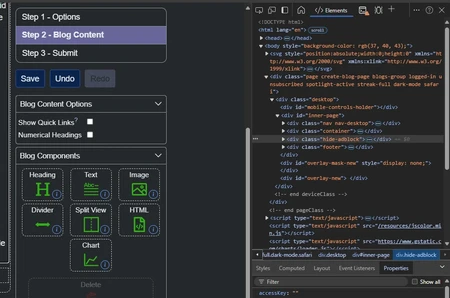
Using the Console to see Classes
Hey, you can reveal the console when you're looking at your quizzes, or anyone else's quizzes for that matter. What's also amazing is that you can check out specific elements in quizzes by using this tool:
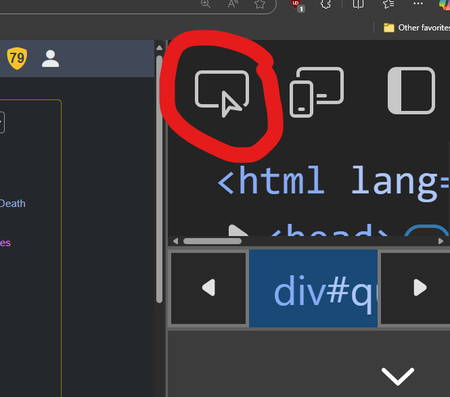
Let's take a random quiz that requires a bit of css magic to work. The revealing quiz series requires CSS to work. Don't be lame and steal their code... this is for educational purposes only. Here, I used the "select an element" tool (shortcut ctrl+shift+c) to see the Pizza Hut element. Hey, I figured out that this Pizza Hut logo has a path called "path161". Sorry SpiritOfFire, I've given away the secret. There's also a <g> group named PizzaHut. SpiritOfFire has given this group specific classes that interact with CSS coding.
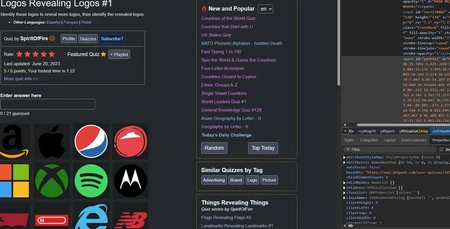
Now, let's do something a little more useful. Let's look at the code a little further. If I inspect the svg file itself, the SVG file lives inside a box. Let's check it out.
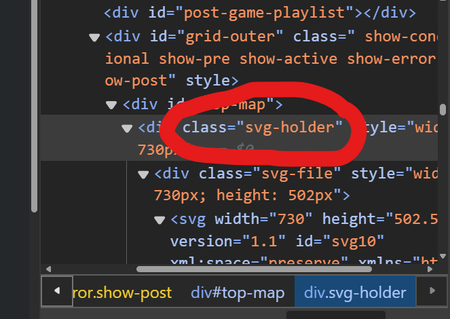
Now, why do we care? It basically means that anything you want done has to go through this element. That means you have to tell your css styles to go inside this holder and apply the styles you want THERE.
So let's say you want to make elements disappear rather than turn green. The css has to be told to go hunting inside this container. Let's look what that would look like.
<style>
.svg-holder .svg-correct {
opacity: 0;
visibility: hidden;
transition: all 0.5s;
}
</style>
This tells it to look for anything with class="svg-correct" inside an element with class="svg-holder". Presto, you have invisible elements, baby. They even fade out gradually. This is the code from my Jtheppy quiz, incidentally. Of course, you don't have to make it hidden and disappear. You can just turn it red or whatever colour you want. You can even make specific correct answers turn different colours by giving them different classes.
<style>
.svg-holder .svg-correct.bumpy {
opacity: 5;
fill: pink;
transition: all 0.5s;
}
</style>
This would make any element you give class="bumpy" translucent pink.
Before and After the Quiz
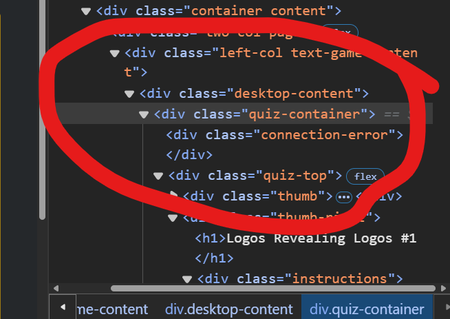
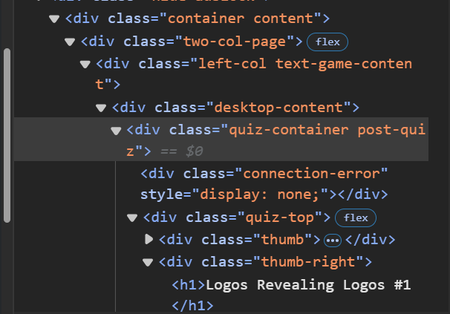
Finally, you can find the classes that apply to pretty much any JetPunk quiz lying around in that console. pre-quiz and post-quiz are the classes to use on most quiz modes. Here's an example of the code I used to hide the hints before the mad minute multiplication quiz I made:
<style>
.pre-quiz .h {
visibility: hidden;
}</style>
I had to look at the console to see that all hints on JetPunk automatically are given the class "h" on text quizzes. And here's SpiritOfFire's quiz's console code (this is JetPunk's code, not the svg).
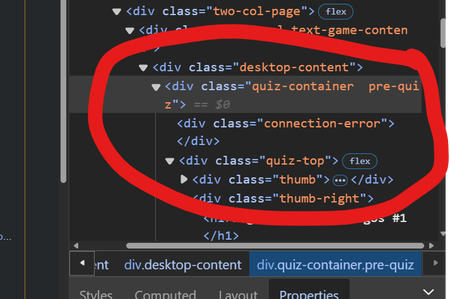
And now look what happens when I start the quiz.
And look what happens when I give up.
Thanks!